Step-by-step guide
How to sign up as a leader, step by step
The leader application is made at app.dovra.ai/registro/lider: three screens of questions, then Dovra reviews it. Once approved, you get a code to sign in to the portal with the same email.
The basics
- Where
- app.dovra.ai/registro/lider
- Who approves
- The Dovra team reviews every application
- How you hear back
- By email or WhatsApp
- How you sign in
- Same email plus a code. No passwords.
You can also start at app.dovra.ai/registro: the first question is “How do you want to take part?” and you pick I want to build a team in my area.
Step 1. Your area
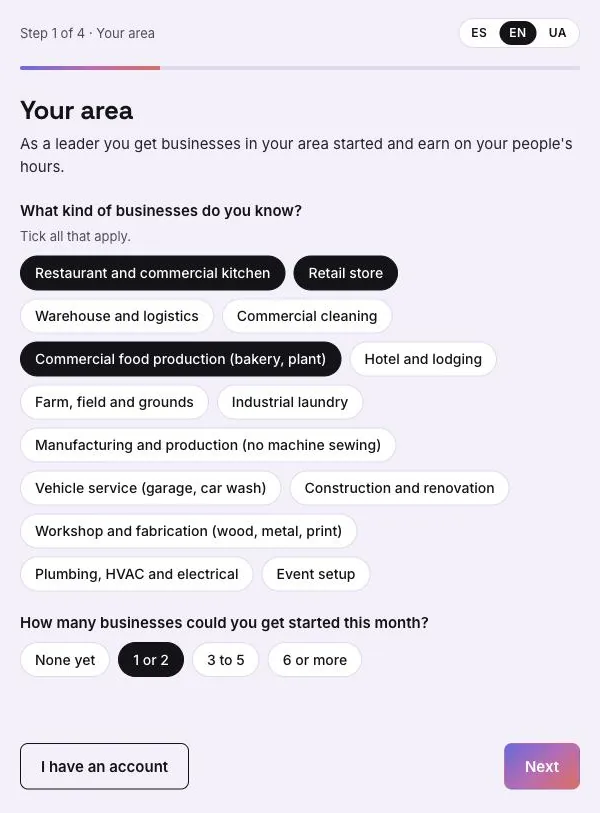
Tick the kinds of businesses you know (all that apply) and how many businesses you could get started this month.
Step 2. Where you are and your experience
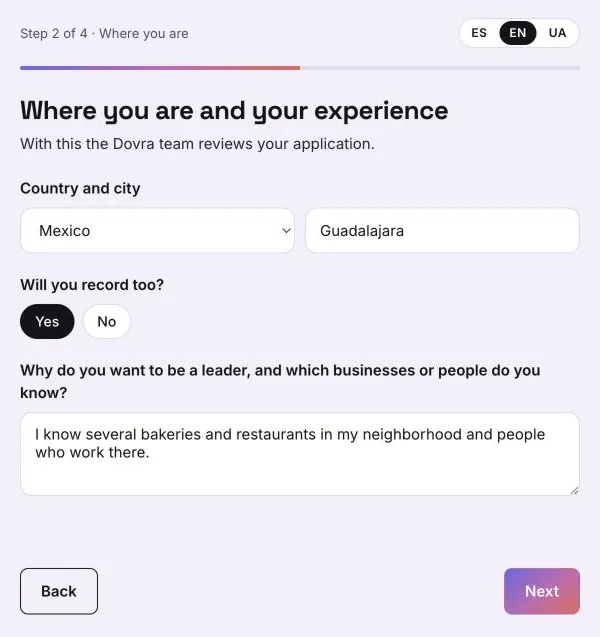
Country and city, whether you will record too, and why you want to be a leader and which businesses or people you know. The Dovra team reviews your application with this, so name concrete businesses or sectors.
Step 3. Create your account
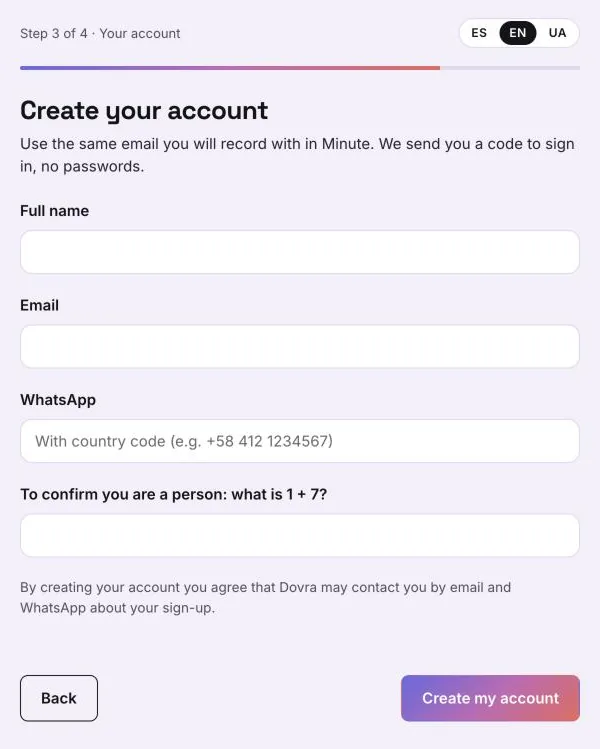
Full name, email, WhatsApp with country code, and the sum to confirm you are a person. If you will record too, use the same email you will use in Minute. Tap Create my account.
Step 4. Wait for approval
The page shows “We got your application”: the Dovra team reviews it and writes to you by email or WhatsApp. Once it is approved you get a code to sign in to your portal with that same email. If Dovra sent you an invitation link, your account is ready without waiting for the review.
Step 5. Sign in to the portal
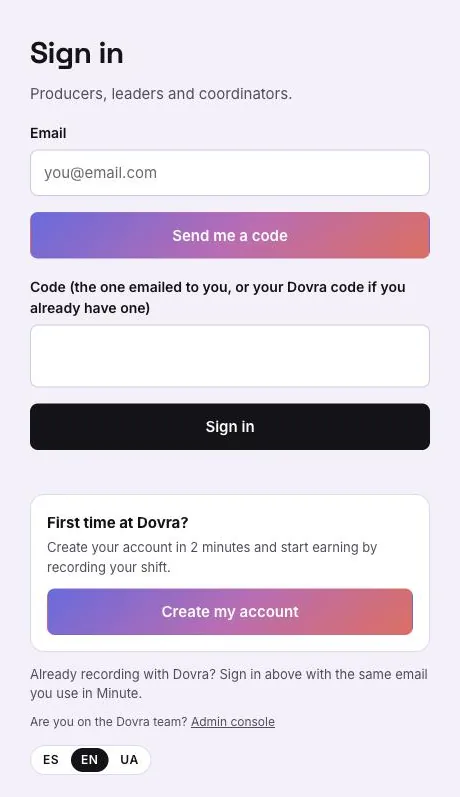
At app.dovra.ai/app type your email, tap Send me a code, paste the code you received and tap Sign in.
As a leader, the portal menu includes My team (for coordinators it is My network), Plan & tracking and Gear & purchases, plus Home, Projects, Wallet, Videos and My profile.