Step-by-step guide
How a business joins: what the owner does
For the owner it is three things: hear the proposal, sign the permission to record at the business from their phone, and let their people record their usual work. The business pays nothing and can ask for it to stop at any moment.
The basics
- What they sign
- A permission to record at the business, one per business
- Where
- On a dovra.ai/firmar link opened on the phone
- How long
- Under a minute
- Cost
- Nothing
- Who records
- The business’s own people, phone on the forehead
1. Hear the proposal
A Dovra leader in your area explains how it works. Sometimes they bring a letter of intent: a two-page PDF that introduces the project and asks for a meeting. The letter does not commit you to anything; what authorizes recording is the permission in step 4.
2. Agree on what is recorded
The hands and the task are recorded, not the room or the people. You decide which areas and tasks can be recorded and on which days and hours. Anything you mark as confidential stays out. Minors, documents, screens, internal prices and identifiable customers are never recorded.
3. Get the permission link
Dovra prepares the permission in your business’s name, with your contact email, and the leader sends it to you by WhatsApp or email. It is a dovra.ai/firmar link for your business only. If you are a leader: ask Dovra for each business’s permission with its name and the owner’s email.
4. Sign from your phone
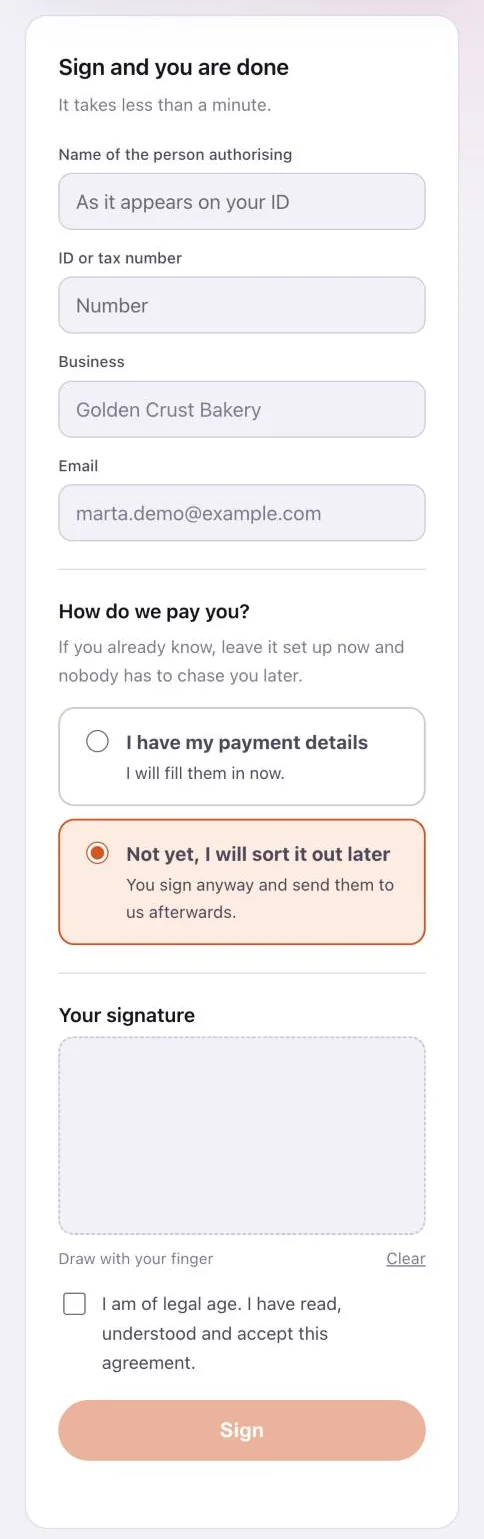
The link opens the “Agreement with the business — Permission to record in your business”, in Spanish or English (ES / EN buttons at the top). Read it and scroll to “Sign and you are done”.
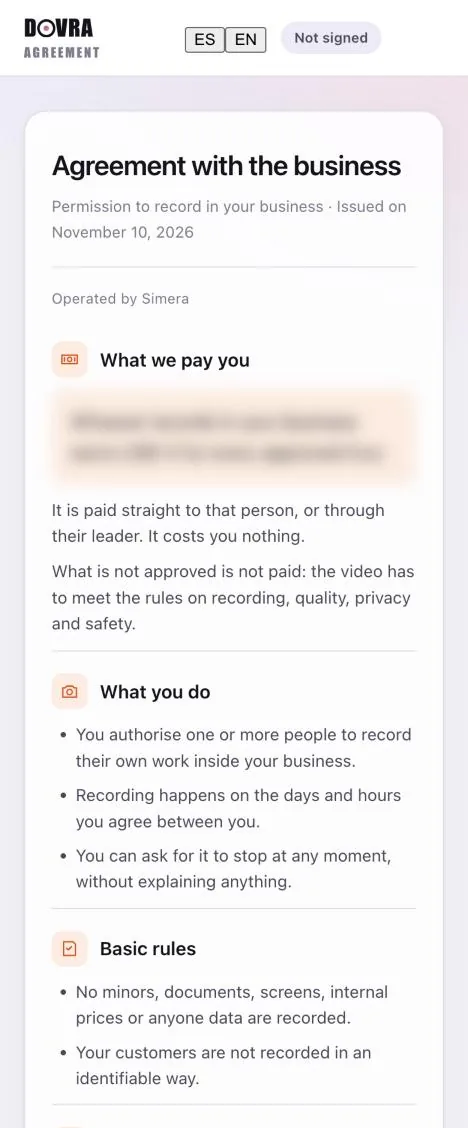
Type the name of the person authorizing and the ID or tax number; the business and email are already filled in. Sign with your finger, tick “I am of legal age. I have read, understood and accept this agreement.” and tap Sign. You will see “Done, it is signed” and the signature record.
5. Your people sign up and record
Each person who will record signs up as a producer with the email they use in Minute (here is how) and records their normal shift with the phone on the forehead, landscape, hands in view. Nothing changes in your operation: no cameras are installed and no production crew comes in. If at any point you want to stop, just say so.