Step-by-step guide
Where to find your agreements in the portal
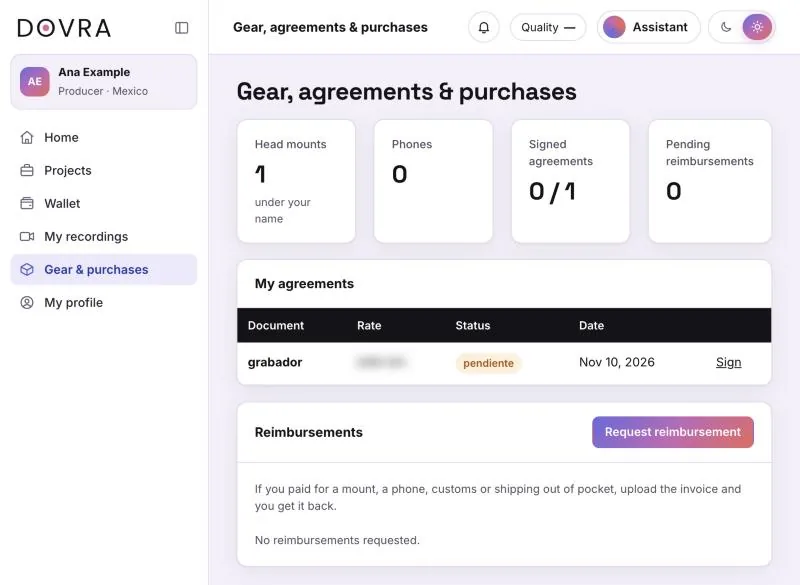
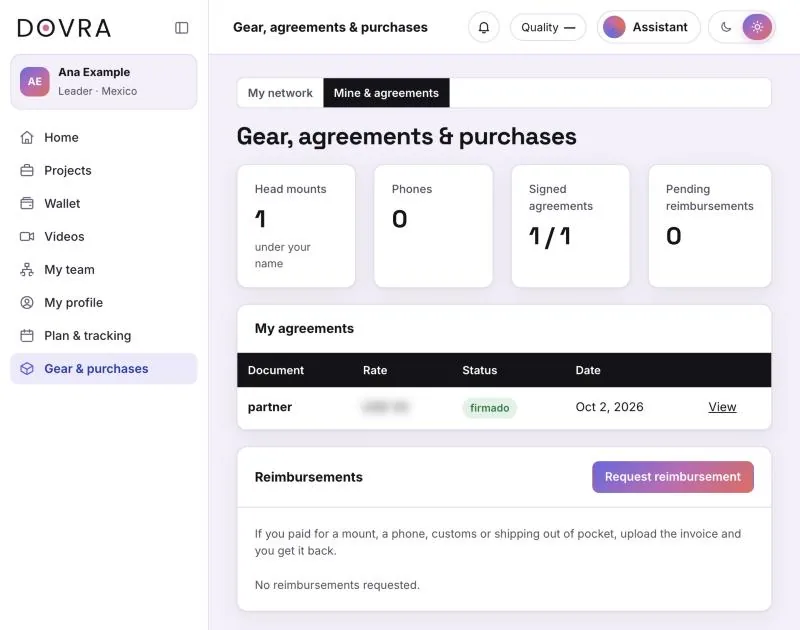
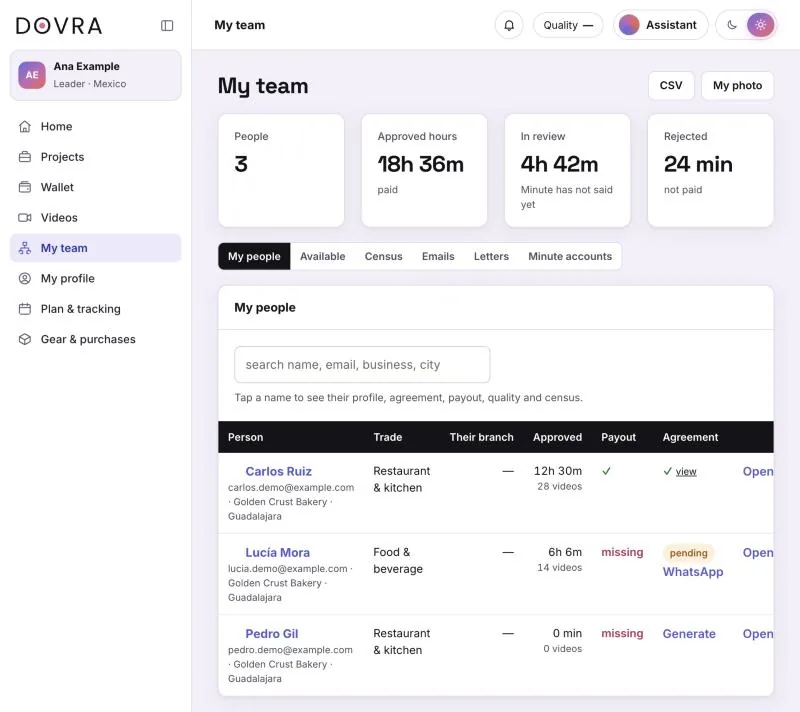
Your own agreements are under Gear & purchases in the “My agreements” table. Leaders and coordinators open the Mine & agreements tab there. Your people’s agreements are in My team → My people, “Agreement” column.
Where everything is
- Producer
- Gear & purchases → My agreements
- Leader and coordinator
- Gear & purchases → Mine & agreements tab → My agreements
- Your people’s agreements
- My team (coordinator: My network) → My people → Agreement column
- Letters for businesses
- My team → Letters
- Sign or view
- Each agreement opens its own link on dovra.ai/firmar
If you are a producer
In the menu tap Gear & purchases. The page is called “Gear, agreements & purchases” and the My agreements table lists each document with its status and date. At the end of the row, Sign opens the agreement so you can sign it from your phone; once signed it says View.
The “Document” column shows the agreement type as stored: grabador is the recorder’s agreement, partner the leader’s and coordinador the coordinator’s. The status also appears in Spanish: firmado (signed) or pendiente (pending).
If you are a leader or coordinator
Also under Gear & purchases, but there are two tabs at the top: My network (your people’s mounts and phones) and Mine & agreements. Your My agreements table is in the second one.
Your people’s agreements
In My team (or My network) → My people, the Agreement column shows where each person stands: ✓ and view if signed, pending with a WhatsApp button to resend the link, or Generate if they have no agreement yet. A leader’s agreement is issued by Dovra; that row says “done by Dovra”. Tapping a name opens their profile, which also shows the agreement.
Letters and business permissions
Letters of intent you generate stay in My team → Letters, with View, Download and Resend. Each business signs its permission on its own dovra.ai/firmar link, and that same link later shows the signature record; if you need to see it, ask Dovra. What each document says is in which agreements a business signs.