Productor · Te pagan cada semana
USD 4 por hora aprobada
No es un trabajo aparte: es tu mismo turno, grabado desde tu punto de vista con el teléfono en la cabeza. Tarifa única, igual para todos, en cualquier país. Tú decides cuántas horas grabas: no hay mínimo mensual, ni horario, ni jefe.
Lo que sale, según lo que grabes
Son horas aprobadas, no horas conectadas. La tabla es aritmética, no una promesa: grabas lo que puedas y cobras eso.
- Desde 5 horas aprobadas ya se puede liquidar esa semana. No esperas al final del mes.
- Necesitas un teléfono compatible y un soporte de cabeza. Si en tu zona no consigues el soporte, dinos dónde estás y miramos si podemos hacértelo llegar.
- Nunca te vamos a pedir dinero. Ni inscripción, ni equipo, ni cursos.
Escanea, responde 5 preguntas y nos llega tu mensaje ya escrito.
Dinos en qué país y ciudad estás, cuál es tu oficio y qué teléfono tienes, y te confirmamos el mismo día si puedes entrar.
Escribir por WhatsAppCada oficio.Material real de la red, grabado esta semana. Sin producción y sin guión: la persona hace su trabajo y la cámara mira lo que ella mira.
La marca
DÓV · ra
No estás grabando un video. Estás dejando tu oficio escrito.
Dovra es el proyecto detrás de todo esto. Una red de gente común —mecánicos, cocineras, vendedores, técnicos— grabando su trabajo de verdad para que las máquinas aprendan cómo se hacen las cosas. No hay actores ni set: hay oficio.
El nombre está armado con tres piezas: do, hacer; v, la visión, lo que la cámara ve; y la a de inteligencia artificial. Hacer, ver, aprender. Cinco letras que suenan igual en cualquier idioma, en cualquier país.
Hoy es un teléfono en la cabeza de un mecánico de tu ciudad. Mañana es la referencia con la que un robot aprende a apretar ese mismo tornillo. Y tú estabas ahí primero.
Cómo se graba
Todo pasa dentro de la app. No se sube video hecho por fuera.
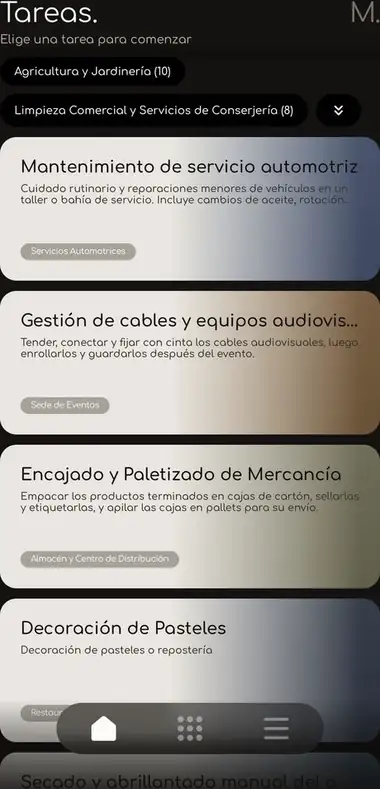
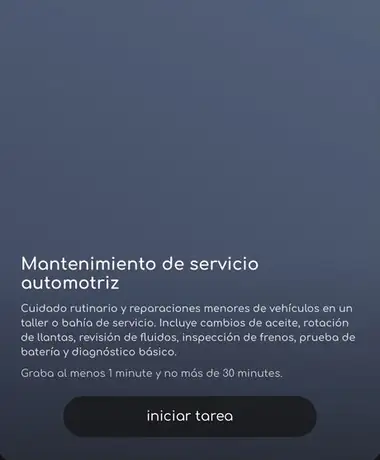
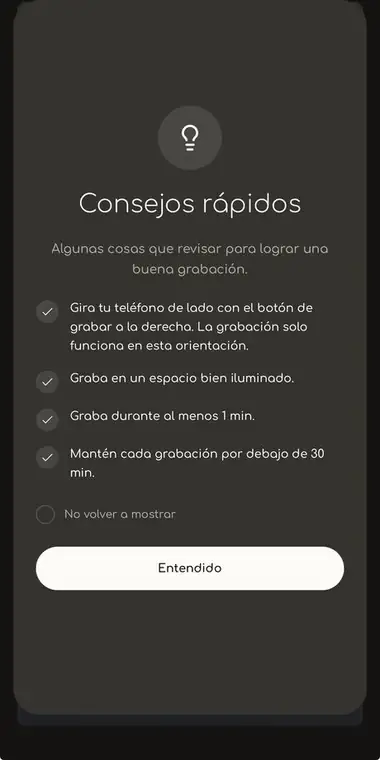
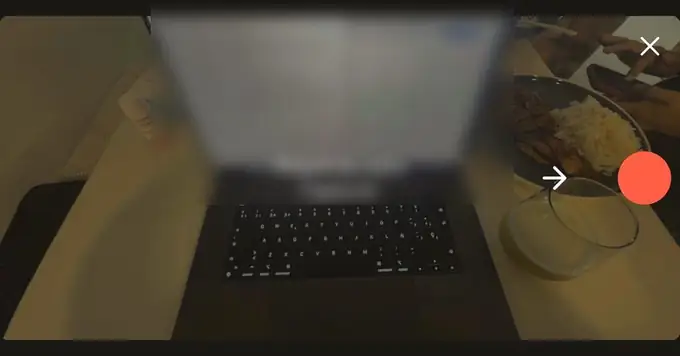
No es grabar con la cámara del teléfono y mandarnos el archivo después. Eso no existe y no se paga. La persona abre Minute, elige la tarea que va a hacer, le da empezar y la app graba. Así el video queda atado a una tarea concreta, con su hora y su duración, que es justo lo que hace que el material valga.
Qué se graba
14 rubros, 77 actividades
La app le propone tareas concretas a cada persona. Estas son: la lista abierta hoy para grabar. El catálogo que Dovra ofrece a empresas de IA tiene 15 rubros y 84 actividades porque suma Reparación de Electrónicos y el lavado de equipos en plantas de alimentos. Filtra por rubro para ver las de cada uno.
Requisitos técnicos
Esto es lo que hay que respetar
No son consejos: son los requisitos de quien recibe el material. Explícaselos a tu gente antes de que empiecen.
1. El teléfono
La app valida el modelo al abrir. Con cualquier otro, no deja grabar.
2. La toma
3. El clip
4. La revisión
Cada envío pasa por tres filtros automáticos. Tarda entre 24 y 48 horas.
5. Lo que no se paga nunca
Estos seis patrones son fraude confirmado: no se pagan y desactivan la cuenta.
6. Límites
Registro y horas
Cómo te registras y cómo quedan las horas a tu nombre
Hay un solo enlace de registro para todo el proyecto, el mismo para todos. Lo que separa una localidad de otra no es el enlace: es que nos digas qué correos son tuyos. Tres cosas, en este orden.
Es el primer paso, antes de salir a hablar con negocios. Bajas Minute y te registras con el enlace de abajo. Es el mismo enlace para todo el proyecto: no hay un código por persona ni por ciudad.
Como el registro es común, todo llega junto y nosotros lo separamos. Hay dos maneras de que quede a tu nombre y dependen de si prestas el equipo o no. Las dos están explicadas abajo.
En el panel ves cuántas horas lleva tu localidad y cuánto vas generando.
Si pones tu teléfono y tu cuenta
Todo lo que se grabe cae bajo tu usuario directamente. No hay que hacer nada más.
- El equipo es tuyo y la app está abierta con tu cuenta.
- Las horas se suman solas a tu localidad.
- No tienes que avisarnos nada.
Si la persona del negocio se registra por su cuenta
Cuando no pones ni teléfono ni cuenta, la persona del negocio abre su propio registro. Ahí tienes que conseguir ese correo electrónico y avisarnos que pertenece a un negocio tuyo. Nosotros lo asignamos a tu localidad.
- Consigue el correo con el que se registró.
- Avísanos que ese correo es de un negocio de tu localidad.
- Nosotros lo asignamos y desde ahí sus horas cuentan para ti.
Cómo empezar
Cuatro pasos y estás corriendo
Dinos qué negocio tienes, en qué ciudad está y qué tareas se podrían grabar ahí. Si llegaste por un referido, menciónalo.
Dinos qué localidad tomas y en qué país. Si ya tienes negocios en mente, mándanos la lista. Y si el del negocio eres tú, dínoslo también.
Cada parte recibe un enlace, lo lee y firma desde el teléfono. Ahí queda escrito quién cobra qué y hasta dónde va el acuerdo.
En el tuyo quedan escritos los $4 por hora grabada en tu local y qué tareas autorizas.
Ahí queda escrito el bloque: cuántas horas, cuánto se paga y cómo lo repartes. Cada negocio firma su permiso aparte.
Cada persona que graba se registra en Minute con el enlace del proyecto, que es el mismo para todos, y baja la app.
Después nos pasas esos correos para que las horas queden atadas a tu negocio.
Después nos pasas esos correos para que los asignemos a tu localidad. Sin ese aviso no hay cómo saber que son tuyos.
Entras con tu correo y el código del proyecto, y ves las horas grabadas en tu local y lo que llevas ganado.
Entras con tu correo y el código del proyecto, y ves las horas de tu localidad y lo que llevas ganado.
El enlace de registro
Este es el enlace que le das a cada persona que va a grabar. Cópialo y mándaselo por WhatsApp.
https://useminute.app/signup?code=82JSG52F